Snooze Mode
When life gets busy, Snooze Mode is here to help. Pause your Bumble account and date on your own terms.
Snooze your Bumble profile
Snooze Mode is an easy way to pause your account when you want to take a breather from dating. You can still chat with your existing connections, it just hides your profile from other daters. You won’t lose your profile information or delete your matches by activating Snooze Mode.
FAQs
How do I use Snooze Mode on my profile?
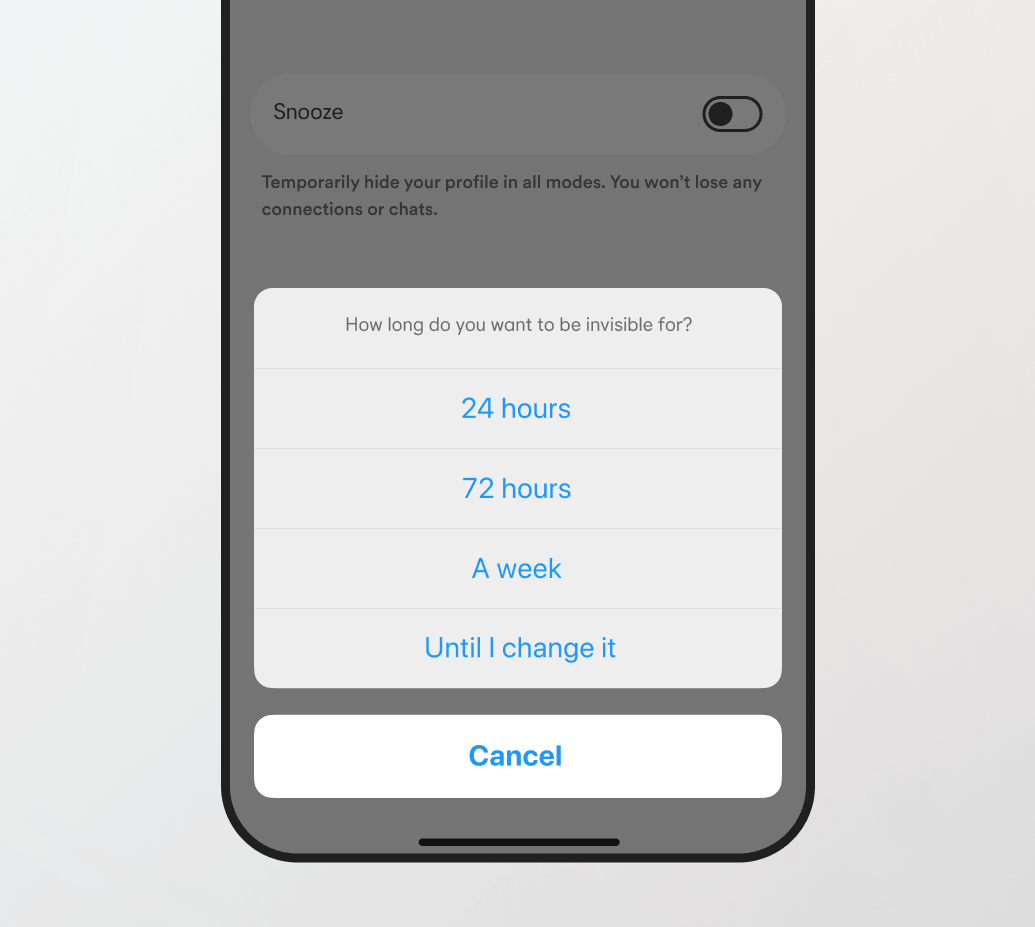
Go to settings, tap Snooze, and choose how long you want to be away. Come back whenever you feel ready.
What will my current matches see when I’m in Snooze Mode?
People you’ve already messaged will see your ‘Away’ status (if you choose to set one). Otherwise, they’ll see your previous messages in their inbox as normal.
Can I still explore profiles and chat in Snooze Mode?
All swipe-and-chat activity is paused when you’re in Snooze Mode. If you try to see new people, you’ll get a message telling you how long Snooze Mode will run for, with the option to deactivate it.
Can I deactivate Snooze Mode early?
Yes, you can visit your settings or your queue and switch Snooze off whenever you like.